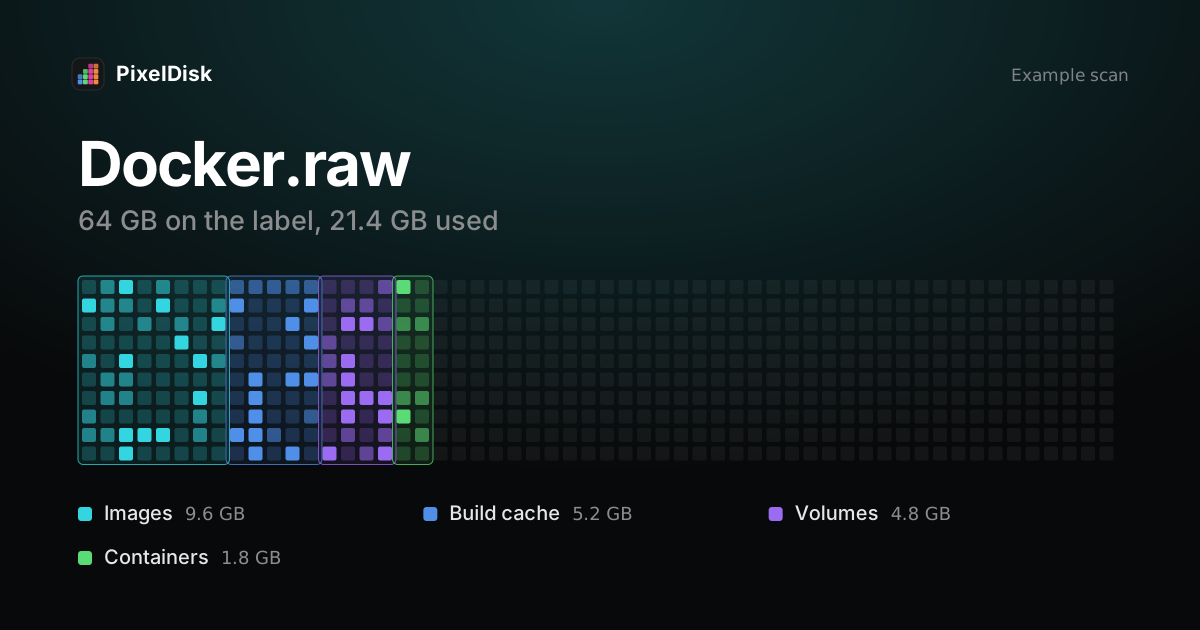
Docker Desktop on Mac keeps all images, containers, volumes and build cache in one disk image, Docker.raw, in ~/Library/Containers/com.docker.docker/Data/vms/0/data (Docker Docs). Run docker system df to see what fills it, then prune by kind. Deleting Docker.raw itself erases every container and image.
Why Docker.raw grows
macOS can’t run Linux containers directly, so Docker Desktop runs a Linux VM. That VM’s disk is Docker.raw. Each image you pull, each layer you build and each volume you create lives inside it.
Two things make it confusing:
- It’s a sparse file. Docker’s FAQ shows an example where
ls -klsh Docker.rawreports about 2.3 GB in use against a 64 GB maximum. Other tools may “display space usage of the file in terms of the maximum file size, and not the actual file size” (Docker Docs). - Build cache is invisible.
docker imagesdoesn’t show it, but repeated builds can leave a lot of it behind.
Check the real size first:
cd ~/Library/Containers/com.docker.docker/Data/vms/0/data
ls -klsh Docker.raw
The first number is the space the file really uses.
See what is inside
docker system df
docker system df -v
docker system df “displays information regarding the amount of disk space used by the Docker daemon” (Docker Docs). It shows images, containers, local volumes and build cache, each with a RECLAIMABLE column. The -v flag lists every image and volume.
Clean up by kind
Start with the cheapest kind to lose. Docker Desktop must be running.
| Command | Removes | Cost |
|---|---|---|
docker builder prune |
Unused build cache | Next build is slower |
docker container prune |
Stopped containers | Their writable layer is lost |
docker image prune |
Dangling images (untagged) | Usually nothing |
docker image prune -a |
All images not used by a container | Pull or build again |
docker volume prune |
Unused volumes | Data in them is lost |
docker system prune |
Stopped containers, unused networks, dangling images, unused build cache | Small |
docker system prune -a --volumes |
All of the above, every unused image, unused anonymous volumes | Large, data can be lost |
# safest first step
docker builder prune

# broader cleanup, keeps volumes
docker system prune
The risk with prune -a and –volumes
docker system prune -a removes “all unused images not just dangling ones” (Docker Docs). An image used only by a stopped container counts as unused once that container is gone. You then pull or build it again.
Volumes are kept by default “to prevent important data from being deleted” (Docker Docs). A local database often lives in a volume. Don’t add --volumes unless you know what each volume holds.
Does pruning shrink Docker.raw?
Pruning frees space inside the VM. Because Docker.raw is sparse, the file’s real size usually drops too. Docker’s FAQ also lists a helper to reclaim space. It runs a privileged container with access to host processes, and only compacts Docker’s own VM disk:
docker run --privileged --pid=host docker/desktop-reclaim-spaceReset or resize Docker.raw
In Docker Desktop, Settings > Resources > Advanced shows the disk image location and the disk usage limit (Docker Docs). Docker warns that lowering the size deletes the current disk image, and “all containers and images are lost” (Docker Docs).
Deleting Docker.raw by hand has the same effect. Do it only when you want a clean Docker. Quit Docker Desktop first.
OrbStack, Colima and Lima
Other Docker runtimes use their own disks:
- OrbStack keeps data in
~/Library/Group Containers/HUAQ24HBR6.dev.orbstack/data. Itsdata.imgis sparse and “automatically shrinks when you delete data” (OrbStack Docs). - Colima lives under
~/.colima. It releases free space on startup from v0.5.0, or on demand withcolima ssh -- sudo fstrim -a.colima deletekeeps container data in v0.9.0 and later;colima delete --dataremoves it (Colima FAQ). - Lima keeps each instance in
~/.lima/<instance>/. Remove an instance withlimactl delete(Lima FAQ).
Do it in PixelDisk
PixelDisk reads docker system df and lists images, containers, volumes and build cache as separate items, each with its size and cost. It also shows VM disks from Docker Desktop, OrbStack, Colima and Lima. Docker data is removed with Docker’s own prune commands, not through the Trash, so it can’t be put back; every removal is still logged in History. Docker and VM disks are in the direct download edition, and cleaning is a $19 one-time unlock (pricing). For other developer space, see Xcode DerivedData and simulators and what System Data is.
Sources
Checked November 2026.
- Docker Docs, FAQs for Docker Desktop for Mac: https://docs.docker.com/desktop/troubleshoot-and-support/faqs/macfaqs/
- Docker Docs, docker system prune: https://docs.docker.com/reference/cli/docker/system/prune/
- Docker Docs, docker system df: https://docs.docker.com/reference/cli/docker/system/df/
- Docker Docs, Change your Docker Desktop settings: https://docs.docker.com/desktop/settings-and-maintenance/settings/
- OrbStack Docs, FAQ: https://docs.orbstack.dev/faq
- Colima, FAQ: https://colima.run/docs/faq/
- Lima, FAQ: https://lima-vm.io/docs/faq/