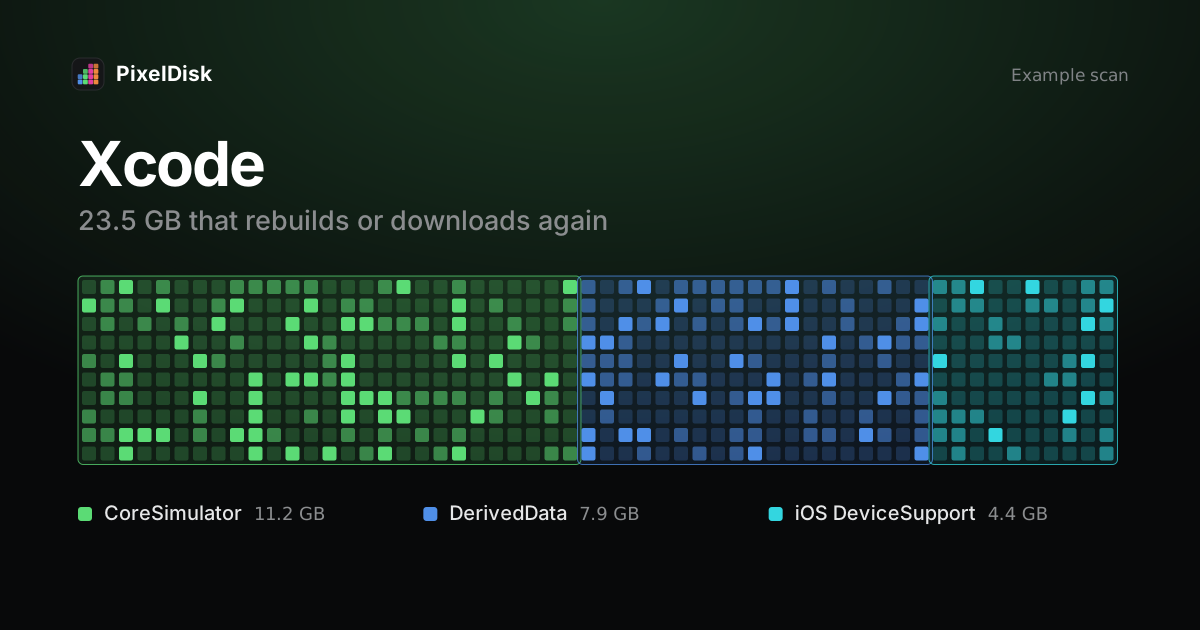
Xcode build data lives in ~/Library/Developer/Xcode/DerivedData, and you can delete it safely: Xcode re-indexes and fully rebuilds the project next time (Apple Developer Forums). Larger savings come from old simulator runtimes, which you remove with xcrun simctl runtime delete, and from ~/Library/Developer/Xcode/iOS DeviceSupport.
Where Xcode uses disk space
| Item | Path | Safe to remove? | Cost |
|---|---|---|---|
| DerivedData | ~/Library/Developer/Xcode/DerivedData |
Yes | Next build is slower |
| iOS DeviceSupport | ~/Library/Developer/Xcode/iOS DeviceSupport |
Yes, for versions you don’t debug on | Copied again on next device connect |
| Simulator devices | ~/Library/Developer/CoreSimulator/Devices |
Yes | Apps and data inside that simulator are lost |
| Simulator runtimes | /Library/Developer/CoreSimulator |
Yes, for versions you don’t test | Downloads again |
| Archives | ~/Library/Developer/Xcode/Archives |
Only if you kept the dSYMs elsewhere | You lose crash symbolication for old builds |
Archives are the one item to keep unless you know you don’t need them. They hold the debug symbols for builds you shipped.
Clear DerivedData
Quit Xcode or close the project first. Deleting DerivedData during a build can leave the build in a broken state.
# see size per project
du -sh ~/Library/Developer/Xcode/DerivedData/* 2>/dev/null | sort -h

# remove one project's folder
rm -rf ~/Library/Developer/Xcode/DerivedData/MyApp-abcdefghijk

# or remove everything
rm -rf ~/Library/Developer/Xcode/DerivedData/*
A forum answer sums up the cost: the project is “re-indexed the next time you open it, and fully rebuilt the next time you build it” (Apple Developer Forums). Note that rm -rf is permanent. Nothing goes to the Trash.
Remove old iOS DeviceSupport
Each time you connect a device on a new iOS version, Xcode copies support files for that version. Donny Wals freed about 15 GB on his own machine by deleting folders for iOS versions he no longer supported, plus unavailable simulators (Donny Wals).
open ~/Library/Developer/Xcode/iOS\ DeviceSupportDelete the folders for versions you no longer test on. Keep the one that matches your current device.
Clean simulator devices
List devices first, then delete. These commands erase the simulator’s apps and data.
xcrun simctl list devices

# delete devices the current Xcode no longer supports
xcrun simctl delete unavailable

# delete one device
xcrun simctl delete <device-udid>
xcrun simctl delete unavailable only removes device records “not supported by the current Xcode SDK” (from xcrun simctl help delete). It does not remove runtimes, so it often frees less than you expect. xcrun simctl delete all erases every simulator, including ones you use.
Delete simulator runtimes
Runtimes are the large system images. On recent Xcode versions:
xcrun simctl runtime list

# preview what would be deleted
xcrun simctl runtime delete --notUsedSinceDays 90 --dry-run

# delete one runtime by identifier
xcrun simctl runtime delete <runtime-identifier>

# delete runtimes that have a newer version with the same identifier
xcrun simctl runtime delete --outdated
These options come from xcrun simctl runtime help in Xcode. Deleting a runtime shuts down any simulators booted from it. If you need that iOS version later, you can download it again in Xcode Settings (the Components pane, called Platforms in older Xcode versions). You can also remove runtimes in System Settings > General > Storage > Developer (Apple Developer Forums).
Other developer folders
Xcode is often not the only build cache. JavaScript and Rust projects keep node_modules and target folders that rebuild on the next install or build. Docker images and AI models are covered in Docker.raw disk space and Ollama and LM Studio models. For the bigger picture, see what System Data is.
Do it in PixelDisk
PixelDisk lists DerivedData, iOS DeviceSupport, simulator devices and runtimes, node_modules, target and build folders and git worktrees. Each one is labeled with its cost, such as “Next build is slower” or “Downloads again”. In Safe mode, the default, DerivedData and build folders are deleted at once because Xcode rebuilds them, so they can’t be put back. Every removal is logged in History. It skips files of running apps. Simulators are removed with Apple’s simctl, not through the Trash, in the direct download edition. Scanning is free; cleaning is a $19 one-time unlock (pricing).
Sources
Checked November 2026.
- Apple Developer Forums, Deleting derived data in Xcode 8 safely: https://developer.apple.com/forums/thread/81265
- Apple Developer Forums, FYI: Xcode and Disk Space: https://developer.apple.com/forums/thread/773153
- Donny Wals, Reclaim disk space by deleting old iOS simulators and Device Support files: https://donnywals.com/delete-old-simulators-and-device-support-files-to-free-disk-space
xcrun simctl help deleteandxcrun simctl runtime, Xcode command-line help (local)