Quick answer Checked November 2026
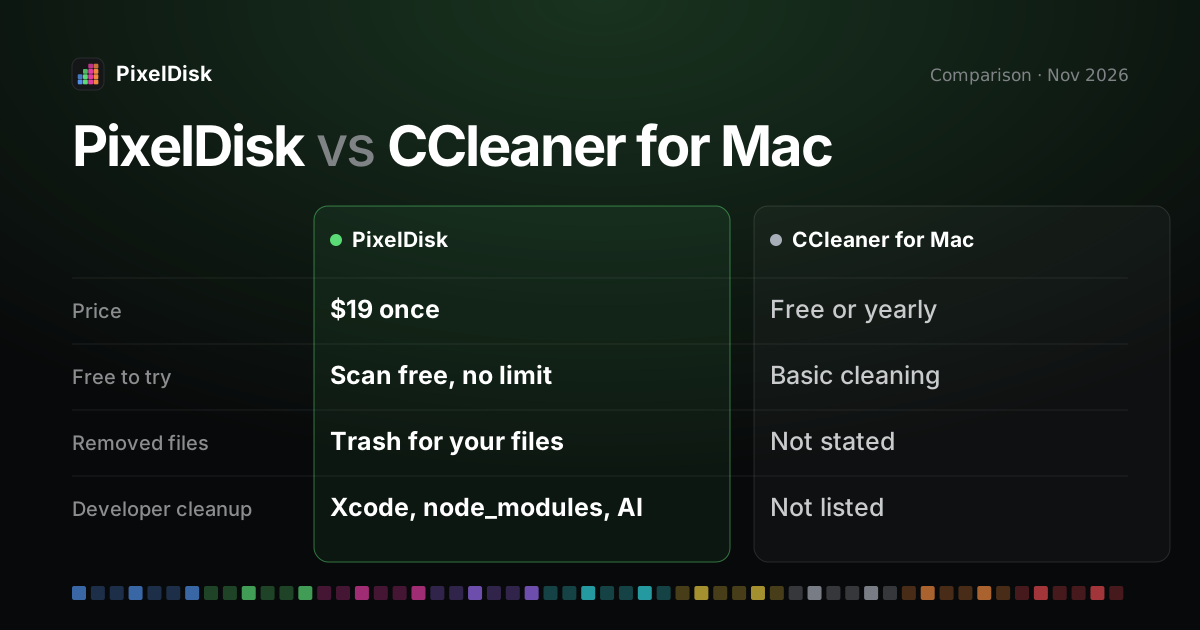
CCleaner for Mac has a free version and a yearly Professional plan whose US price we could not confirm. PixelDisk costs $19 once, shows the whole disk as one bar and labels what each item costs to remove.
Pick PixelDisk if
- You want to see what fills the disk
- You clean developer folders or AI models
- You want one payment, no subscription
Pick CCleaner for Mac if
- The free cleaning covers your needs
- You want startup item and browser tools
- You already use CCleaner on Windows
PixelDisk has two modes. Safe (the default) moves your files to the Trash, where you can put them back, and deletes caches and build files because apps recreate them. Full deletes everything at once after one confirmation.
CCleaner for Mac, from the CCleaner brand of Gen Digital, is a free cleaner with a yearly Professional plan, covering junk, browsers, apps and startup items (CCleaner, checked November 2026). PixelDisk costs $19 once and only frees disk space, labeling what each removal costs and, in Safe mode, sending your files to the Trash.
The short version
CCleaner for Mac mixes disk cleanup with privacy and “performance” features. It removes junk and duplicates, uninstalls apps, cleans browser data on a schedule and manages startup items. Its page still promises to “help speed up your Mac”.
PixelDisk does one job: it shows where your disk space went and removes what is safe to remove. It knows developer folders like Xcode, Docker and local AI models, and it never deletes straight away. You pay once.
Comparison
| PixelDisk | CCleaner for Mac | |
|---|---|---|
| Price model | One-time | Free, or yearly subscription |
| Price | $19 | Professional, 1 Mac, per year: US price not confirmed (reviews list about $44.95) |
| Free tier | Scan and explore, no time limit | Clean clutter, duplicates, uninstall apps, startup items |
| Disk map / view | Pixel bar of 9 categories, folder treemap, large files, duplicates | Lists by cleaning task; no disk map listed |
| Says what’s safe and what it costs | Yes, per item | Not stated on the product page |
| Developer cleanup | Xcode DerivedData, DeviceSupport, node_modules/target/build, AI models, git worktrees; simulators, Docker and VM disks (direct edition) |
Not listed |
| Where removed files go | Safe mode: your files go to the Trash; caches and build files are deleted (they rebuild) | Not stated; Professional can empty the Trash automatically |
| Undo / history | History log; put back while in the Trash | Not stated on the product page |
| “Performance” tools | None | Startup item manager, removal of redundant apps |
| Browser privacy cleaning | No | Yes; automatic scheduled cleaning in Professional |
| Devices per plan | Not published | Free and Professional: 1 Mac; Professional Plus: 3 devices, with CCleaner for PC and Android |
CCleaner details from its Mac product page and online shop, checked November 2026 (CCleaner). The shop showed prices in local currency only, so the US dollar price is not confirmed. The product page lists system requirements up to macOS 13 Ventura; we could not confirm support for newer versions.
Where PixelDisk is different
One price, once
Scanning and exploring in PixelDisk are free with no time limit. A $19 one-time purchase unlocks cleaning, with updates included (pricing). There is no renewal.
Each item says what it costs
PixelDisk labels items with the price of removing them, such as “Next build is slower”, “Downloads again” or “Apps rebuild them”. It suggests the single biggest safe thing to clear first.
Safe mode and History
In Safe mode, your files go to the Trash, and caches and build files are deleted because they rebuild. Every removal is logged in History, and you can put back items still in the Trash. Empty Trash asks first with the size. CCleaner’s paid plan can empty the Trash for you.
Developer folders by name
PixelDisk lists Xcode DerivedData, iOS DeviceSupport, node_modules, target and build folders, git worktrees and local models from Ollama, LM Studio and Hugging Face. The direct edition adds simulators, Docker by kind and VM disks from Docker Desktop, OrbStack, Colima and Lima. See the guides on Xcode, Docker and AI models.
Offline, no account
PixelDisk needs no account and sends no analytics; its only network call is the update check, which you can turn off. The direct licence key is checked offline.
What PixelDisk doesn’t do
- It has no free cleaning. CCleaner’s free version cleans clutter and uninstalls apps at no cost.
- No browser privacy cleaning, bookmark import or photo analysis.
- No startup item manager, RAM or “speed up” tools, malware scan or app updater.
- No Windows or Android version. CCleaner Professional Plus covers a PC and an Android phone too.
- It works on the startup disk only, and needs macOS 14 or later.
- The Mac App Store edition can’t uninstall apps. The Uninstaller and app leftovers need the direct download edition.
Who should stay with CCleaner for Mac
Stay with CCleaner if you mainly want browser history and cookies cleared on a schedule, or one subscription across a Mac, a PC and a phone. Its free version also covers basic junk cleanup. If you want disk space back with a one-time price and a History, try PixelDisk for free and see pricing. Also compare the CleanMyMac alternative page.
Sources
Prices and features checked November 2026.
- CCleaner for Mac: https://www.ccleaner.com/ccleaner-mac
- CCleaner online shop (Professional for Mac): https://secure.ccleaner.com/
- Third-party price reference (not the vendor): https://www.drbuho.com/review/ccleaner-for-mac-review