Quick answer Checked November 2026
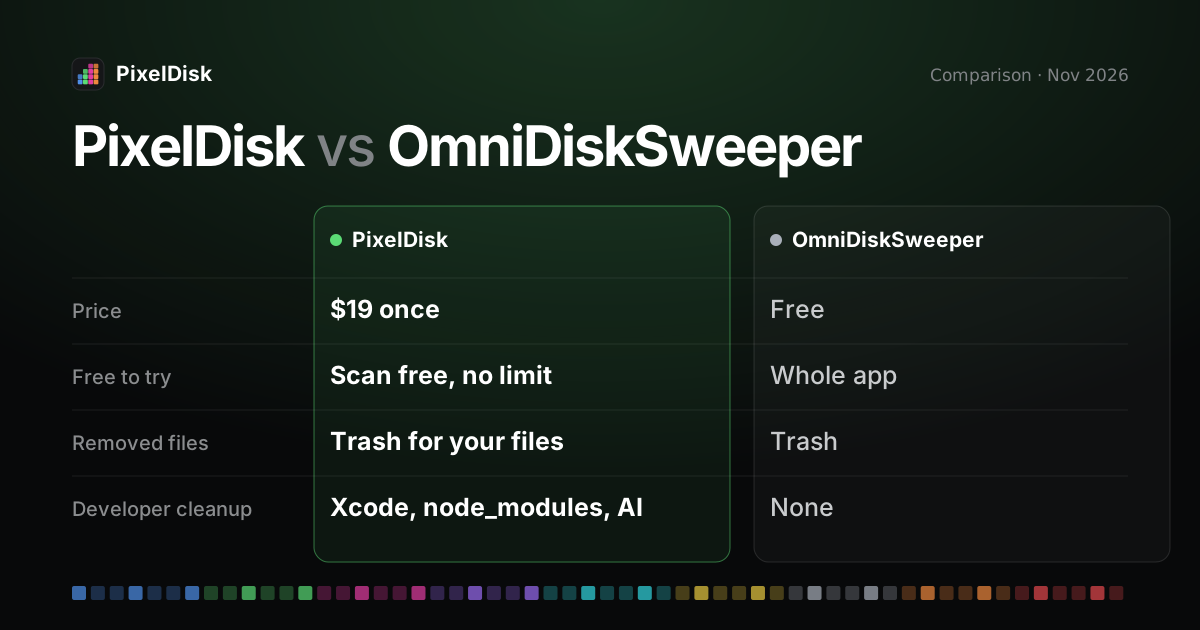
OmniDiskSweeper is a free Omni Group app that lists folders by size and moves what you pick to the Trash. PixelDisk costs $19 once and adds categories, a cost label on every item and developer cleanup.
- PixelDisk$19
- OmniDiskSweeper$0
Pick PixelDisk if
- You want to know what is safe to clear
- You clean Xcode, Docker or AI models
- You want alerts and Autopilot
Pick OmniDiskSweeper if
- A free size list is enough
- You know what every folder is
- You scan external drives
PixelDisk has two modes. Safe (the default) moves your files to the Trash, where you can put them back, and deletes caches and build files because apps recreate them. Full deletes everything at once after one confirmation.
OmniDiskSweeper is a free app from The Omni Group that lists the files on a drive from largest to smallest and lets you move them to the Trash (The Omni Group, checked November 2026). PixelDisk costs $19 once and also tells you which items are safe to remove and what each costs.
The short version
OmniDiskSweeper is a plain, fast list of folders sorted by size. You drill down, find something big, and Trash it. It costs nothing, and you judge what each folder is.
PixelDisk is a cleaner, not only a size list. It groups the disk into nine categories, suggests the biggest safe win, and labels each item with what removing it costs. Scanning is free; removing files is what the $19 unlocks.
Comparison
| PixelDisk | OmniDiskSweeper | |
|---|---|---|
| Price model | One-time | Free |
| Price | $19 | $0 |
| Free tier | Scan and explore, no time limit | Whole app is free |
| Disk map / view | Pixel bar of 9 categories, folder treemap, large files, duplicates | Folders and files listed largest to smallest |
| Says what’s safe and what it costs | Yes, per item | No, you decide |
| Developer cleanup | Xcode DerivedData, node_modules/target/build, AI models, git worktrees; simulators, Docker and VM disks (direct edition) |
No dedicated cleanup |
| Where removed files go | Safe mode: your files go to the Trash; caches and build files are deleted (they rebuild) | Trash |
| Undo / history | History log; put back while in the Trash | Put back from the macOS Trash; no history log confirmed |
| Current version | Updates included | 1.16 stable; 1.17 test build listed September 2026 |
| Disks | Startup disk | Drives on your Mac; external drive support not confirmed on Omni’s page |
| Automatic cleanup | Autopilot when space runs low, alerts | None |
OmniDiskSweeper details from The Omni Group’s site, its download link and its test-build page, checked November 2026 (product page, test builds). Not confirmed: the minimum macOS for version 1.16 and whether it scans external or network drives.
Where PixelDisk is different
It names what it finds
OmniDiskSweeper shows that ~/Library/Developer is large. It doesn’t say what that is. PixelDisk lists Xcode DerivedData, iOS DeviceSupport and simulators (direct edition) as separate items. Each one says what happens if you remove it, such as “Next build is slower” or “Downloads again”. See the guide on clearing Xcode DerivedData.
It covers developer and AI clutter
Build folders like node_modules, target and build hide inside projects all over the disk. PixelDisk finds them, plus git worktrees and local models from Ollama, LM Studio and Hugging Face. In the direct edition it also handles Docker by kind and VM disks from Docker Desktop, OrbStack, Colima and Lima. See the Docker and Ollama models guides.
It keeps a History
Both apps send your own files to the Trash. PixelDisk also deletes caches and build files at once in Safe mode, because they rebuild. It logs every removal in History and in deletions.log. You can see what was removed and when, and put it back while it is still in the Trash.
It skips what’s in use
PixelDisk won’t remove files of running apps, open files, or anything you marked Keep. A model loaded in LM Studio stays put until you quit the app.
It can run on its own
Autopilot cleans safe items when space runs low. PixelDisk also warns about low space and fast fill rates from the menu bar. OmniDiskSweeper runs only when you open it.
What PixelDisk doesn’t do
- It isn’t free. Removing files needs the $19 purchase, while OmniDiskSweeper costs nothing.
- It works on the startup disk only. No external, network or cloud drives.
- It needs macOS 14 or later. No Windows version.
- The App Store edition is sandboxed. It sees only your Home folder and can’t uninstall apps. The Uninstaller, System Data breakdown, simulators, backups, Time Machine snapshots, VM disks and Docker cleanup need the direct download edition.
- No malware scan and no RAM or “speed up” tools.
Who should stay with OmniDiskSweeper
Stay with OmniDiskSweeper if you know your way around ~/Library and only need to see what is big. It is free, simple and still updated, and its Trash-based removal is safe enough for careful users. If you’d rather have each item explained, with the cost of removing it and a History, try PixelDisk for free and see pricing. Also compare the GrandPerspective alternative page.
Sources
Prices and features checked November 2026.
- OmniDiskSweeper product page: https://www.omnigroup.com/more
- OmniDiskSweeper latest download (redirects to version 1.16): https://www.omnigroup.com/download/latest/OmniDiskSweeper
- OmniDiskSweeper test builds: https://omnistaging.omnigroup.com/omnidisksweeper