Quick answer Checked November 2026
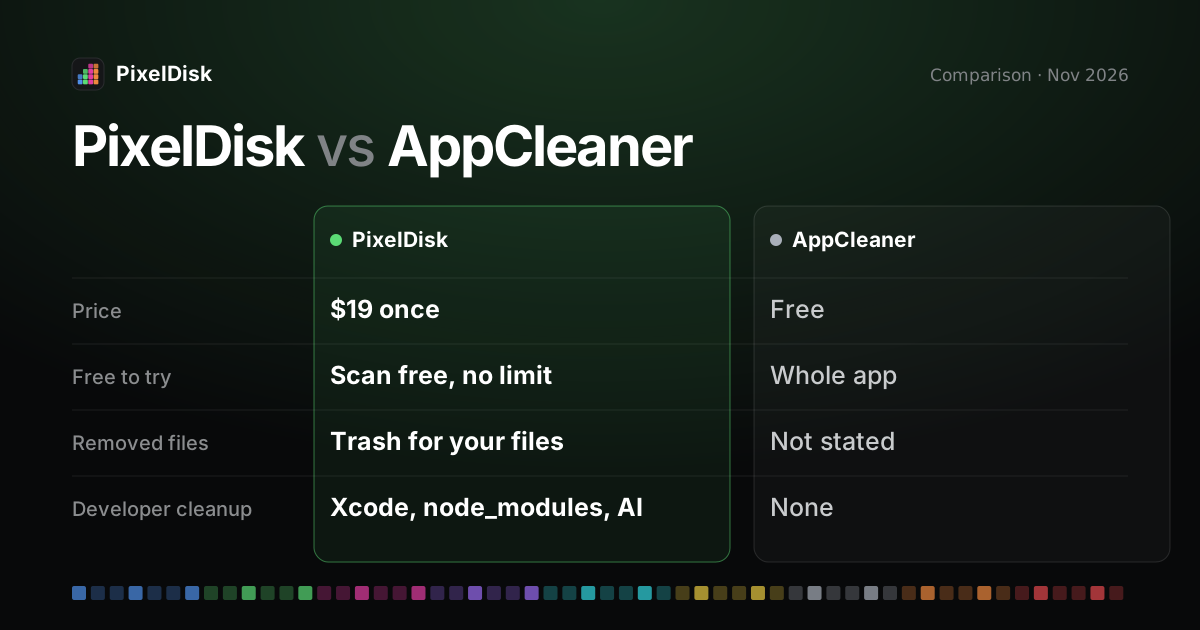
AppCleaner is a free uninstaller: it removes an app and the files it leaves behind. PixelDisk ($19 once) maps the whole startup disk, labels what each item costs to remove, and also uninstalls apps in the direct edition.
- PixelDisk$19
- AppCleaner$0
Pick PixelDisk if
- You need space back, not just apps removed
- Caches, Xcode or AI models fill your disk
- You want to see what each removal costs
Pick AppCleaner if
- Removing apps cleanly is all you need
- You want a free tool
- You use the App Store edition of PixelDisk
PixelDisk has two modes. Safe (the default) moves your files to the Trash, where you can put them back, and deletes caches and build files because apps recreate them. Full deletes everything at once after one confirmation.
AppCleaner is a free uninstaller from FreeMacSoft: drop an app on it and it finds the files that app left behind (FreeMacSoft, checked November 2026). PixelDisk costs $19 once and covers the whole startup disk: caches, developer folders, large files and, in the direct edition, apps with their leftovers.
The short version
AppCleaner does one thing well. You drag an app into its window, it lists the related files, and you remove them together. It is free, small, and has been around for years.
PixelDisk starts from the other end. It shows what fills the disk in nine categories and suggests the biggest safe thing to clear. Uninstalling apps is one part of it, and only in the direct download edition.
Comparison
| PixelDisk | AppCleaner | |
|---|---|---|
| Price model | One-time | Free download, donations accepted |
| Price | $19 | $0 (no price listed; Donate link on the site) |
| Free tier | Scan and explore, no time limit | Whole app |
| Disk map / view | Pixel bar of 9 categories, folder treemap, large files, duplicates | List of an app’s related files |
| Says what’s safe and what it costs | Yes, per item | No, you review the list |
| Developer cleanup | Xcode DerivedData, DeviceSupport, node_modules/target/build, AI models, git worktrees; simulators, Docker and VM disks (direct edition) |
No |
| Where removed files go | Safe mode: your files go to the Trash; caches and build files are deleted (they rebuild) | Not stated on the product page |
| Undo / history | History log; put back while in the Trash | Not stated on the product page |
| Uninstall apps with leftovers | Yes (direct edition) | Yes, its main job |
| Scope | Whole startup disk | Apps and their related files |
| macOS | 14 or later | Version 3.7 needs macOS 15 or later; older versions for older macOS |
AppCleaner details from the FreeMacSoft product page, checked November 2026 (FreeMacSoft). The page says AppCleaner “safely deletes” leftover files but doesn’t say whether they go to the Trash. We could not confirm that, or whether it has an undo.
Where PixelDisk is different
It covers the whole disk
Apps are often not what fills a Mac. Caches, Xcode builds, Docker images, old installers and local AI models can take far more. PixelDisk shows all of them in one bar of nine categories, with a treemap of folders by size. See the System Data guide for the hardest part to read.
Each item says what it costs
PixelDisk labels items with the price of removing them, such as “Next build is slower”, “Downloads again” or “Apps rebuild them”. AppCleaner shows you the file list and leaves the judgment to you.
Developer folders by name
PixelDisk lists Xcode DerivedData, iOS DeviceSupport, node_modules, target and build folders, git worktrees and local models from Ollama, LM Studio and Hugging Face. The direct edition adds simulators, Docker by kind and VM disks. See the guides on Xcode, Docker and AI models.
Your files go to the Trash
In Safe mode, the default, your own files go to the Trash, and caches, logs and build files are deleted at once because they rebuild. The Uninstaller always sends the app and its leftovers to the Trash. Every removal is logged in History, and Empty Trash asks first with the size. PixelDisk also skips files of running apps, open files and anything marked Keep.
Autopilot and alerts
PixelDisk can clean safe items on its own when space runs low. It also warns about low space and fast fill rates from the menu bar. AppCleaner has no equivalent, since it only acts when you drop an app on it.
What PixelDisk doesn’t do
- It isn’t free. AppCleaner costs nothing; PixelDisk costs $19 to clean.
- The Mac App Store edition can’t uninstall apps. The Uninstaller and app leftovers are in the direct download edition only.
- AppCleaner is a smaller, single-purpose tool. If removing apps is all you need, it is simpler.
- PixelDisk works on the startup disk only. No external, network or cloud drives.
- No malware scan, RAM or “speed up” tools, login item manager or app updater.
Who should stay with AppCleaner
Stay with AppCleaner if your disk is fine and you just want apps removed without leftovers. It is free and does that job directly. If you also want to know what else fills the disk and what’s safe to clear, try PixelDisk for free and see pricing. For a free disk map instead, read the GrandPerspective alternative page.
Sources
Prices and features checked November 2026.
- AppCleaner: https://freemacsoft.net/appcleaner/
- FreeMacSoft: https://freemacsoft.net/