Quick answer Checked November 2026
DevCleaner for Xcode is a free App Store app that clears Xcode files only. PixelDisk costs $19 once and covers Xcode plus node_modules, git worktrees, AI models and, in the direct edition, simulators, Docker and VM disks.
- PixelDisk$19
- DevCleaner for Xcode · DevCleaner$0
Pick PixelDisk if
- Xcode is only part of the problem
- You also use npm, Rust, Docker or local models
- You want the whole disk in one view
Pick DevCleaner for Xcode if
- You only clean Xcode
- You want a free tool
- You need Archives and docs cache cleanup
PixelDisk has two modes. Safe (the default) moves your files to the Trash, where you can put them back, and deletes caches and build files because apps recreate them. Full deletes everything at once after one confirmation.
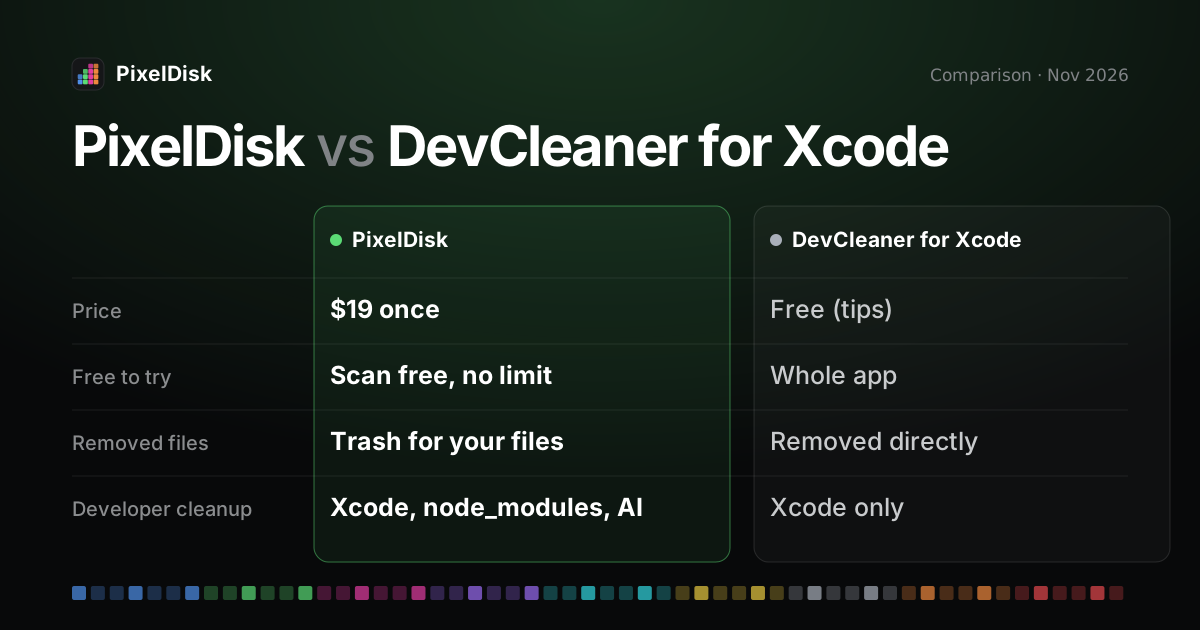
DevCleaner for Xcode is a free, open-source app that cleans only Xcode caches; PixelDisk covers the whole startup disk, including Xcode, build folders and AI models. DevCleaner is free with optional tips (App Store, checked November 2026). PixelDisk costs $19 once and, in Safe mode, sends your own files to the Trash. Like DevCleaner, it deletes Xcode caches and build files at once because they rebuild.
The short version
DevCleaner, by Konrad Kołakowski, does one job well. It finds the files Xcode piles up in ~/Library/Developer and lets you pick what to remove. It also ships a command-line tool for scripts.
PixelDisk is a general disk cleaner with a strong developer category. Xcode is one part of it, next to build folders, AI models, photos, apps and caches. It labels what each removal costs and keeps a History of every removal.
Comparison
| PixelDisk | DevCleaner for Xcode | |
|---|---|---|
| Price model | One-time | Free, optional tips |
| Price | $19 | $0; tips $1.99, $3.99, $9.99 |
| Free tier | Scan and explore, no time limit | Everything is free |
| Disk map / view | Pixel bar of 9 categories, folder treemap | List of Xcode items by size |
| Says what’s safe and what it costs | Yes, per item | Explains each Xcode category; keeps latest Device Support unselected |
| Developer cleanup | Xcode DerivedData and DeviceSupport, node_modules/target/build, git worktrees, AI models; simulators, Docker by kind and VM disks (direct edition) |
Xcode only: Device Support, Archives, DerivedData, docs cache, old logs, old docs |
| Where removed files go | Safe mode: your files go to the Trash; caches and build files are deleted (they rebuild) | Removed directly, per the source code; not stated on the App Store |
| Undo / history | History log; put back while in the Trash | No undo found |
| Command line | No | Yes, dev-cleaner for scripts |
| Open source | No | Yes, GPL-3.0 |
| Requirements | macOS 14 or later | macOS 14 or later |
DevCleaner details from its App Store page and GitHub repository, checked November 2026. Its removal method comes from the source code, not from the vendor’s own description.
Where PixelDisk is different
It covers more than Xcode
DevCleaner sees Xcode folders. PixelDisk also finds node_modules, target and build folders, git worktrees, and local models from Ollama, LM Studio and Hugging Face. The direct edition adds simulators, Docker by kind, and VM disks from Docker Desktop, OrbStack, Colima and Lima. See the guides on DerivedData, Docker and AI models.
Safe mode and History
DevCleaner’s code calls FileManager.removeItem, which skips the Trash (source). Its README asks you to back up first. PixelDisk deletes Xcode caches and build files at once in Safe mode, as DevCleaner does, because they rebuild. Your own files go to the Trash, and every removal is logged in History.
It labels the cost of each removal
Each PixelDisk item carries a short cost, such as “Next build is slower” or “Downloads again”. You see the trade-off before you remove DerivedData or a model.
It skips what’s in use
PixelDisk leaves files of running apps and open files alone, plus anything you mark Keep. A booted simulator or a model loaded in LM Studio stays put until you quit the app.
It watches the rest of the disk
PixelDisk shows the whole startup disk in nine categories, finds large files, old installers and duplicates, and can clean safe items on its own when space runs low.
What PixelDisk doesn’t do
- It isn’t free. DevCleaner costs nothing, and tips are optional.
- No Xcode Archives cleanup. PixelDisk protects Archives because crash reports need them; DevCleaner lets you prune old ones.
- No documentation cache or old log cleanup by name, which DevCleaner lists.
- No command line. DevCleaner’s
dev-cleanertool runs in scripts. - It is not open source. DevCleaner is GPL-3.0.
- The App Store edition is sandboxed and sees only your Home folder. Simulators, Docker, VM disks, the Uninstaller and the System Data breakdown need the direct download edition.
Who should stay with DevCleaner for Xcode
Stay with DevCleaner if Xcode is what fills your disk and you want a free, focused tool. It handles Archives and Device Support well, and its CLI fits a scheduled script. Turn on its dry-run setting first if you want a preview. If Docker, node_modules, AI models or the rest of your disk also fill up, and you want your own files to go to the Trash, try PixelDisk for free and see pricing. Also compare the Mole alternative page.
Sources
Prices and features checked November 2026.
- DevCleaner for Xcode on the Mac App Store: https://apps.apple.com/us/app/devcleaner-for-xcode/id1388020431
- DevCleaner on GitHub (GPL-3.0): https://github.com/vashpan/xcode-dev-cleaner
- DevCleaner deletion code: https://github.com/vashpan/xcode-dev-cleaner/blob/master/DevCleaner/Model/XcodeFiles.swift